Flavis
Automations & apps

When this happens, do that.

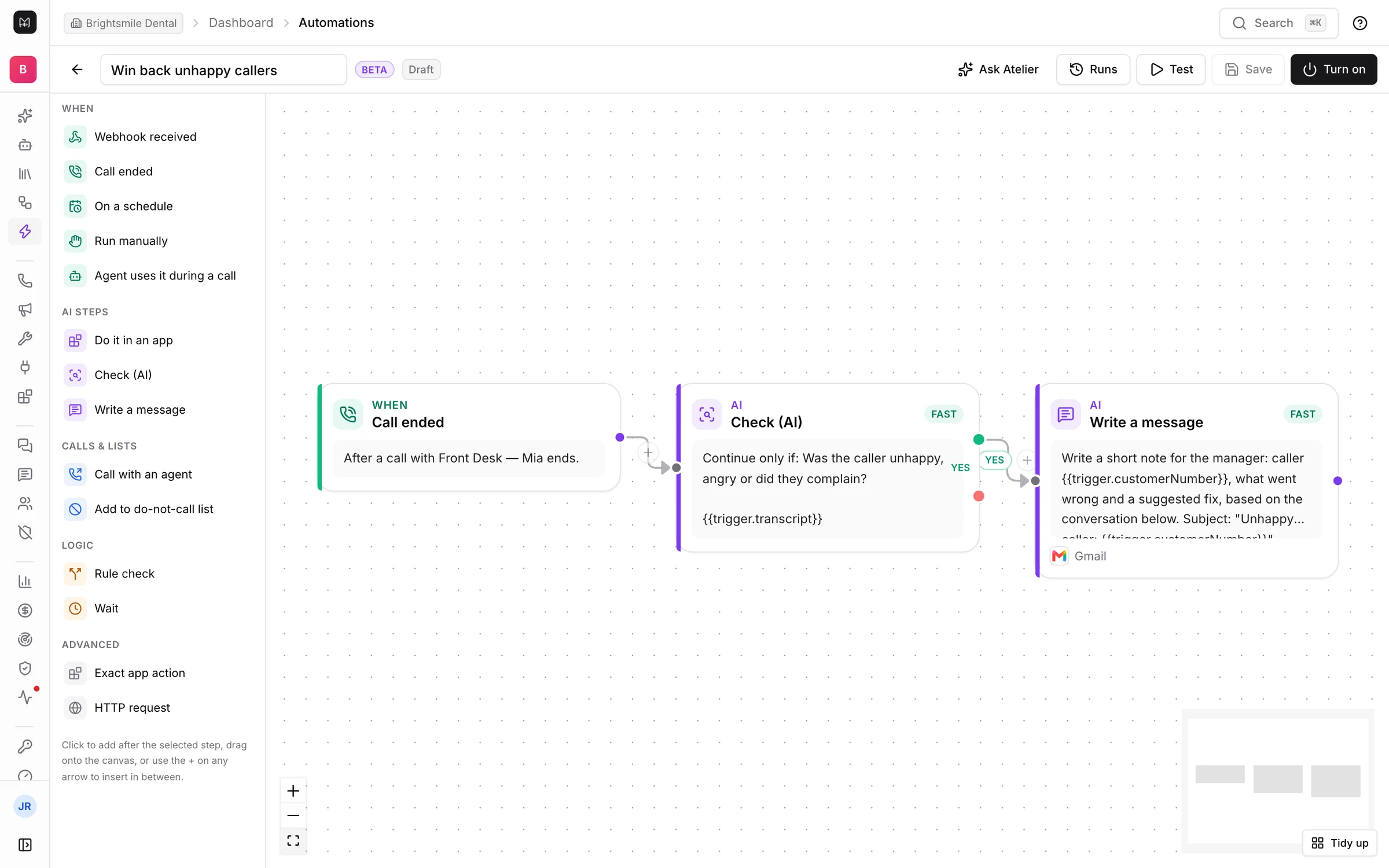
A trigger, an AI check and an app step on one canvas. Automations run during the call, after it, on a schedule or when a lead arrives.

The automation editor with a workflow: Call ended, then Check (AI), then Write a message in GmailTrigger: a call endsAI decides: unhappy?Writes the manager in Gmail
01 · Templates

Start from what clinics and sales teams already do

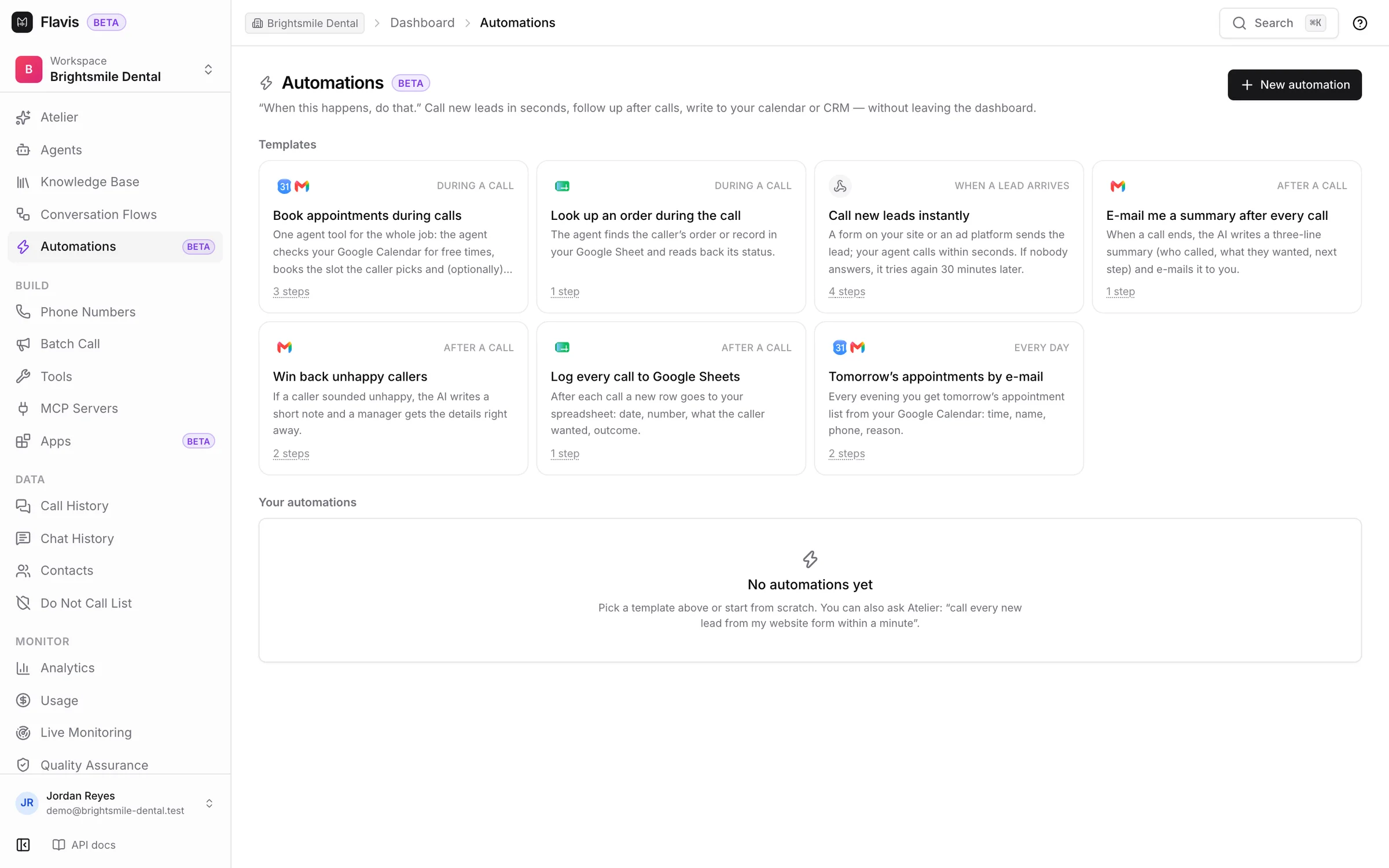
Book appointments during calls, look up an order, call new leads instantly, e-mail a summary after every call, win back unhappy callers. Pick one and fill in your details.

  • Seven ready workflows
  • Or ask Atelier: “call every new lead within a minute”
  • Drafts never run until you turn them on
Read the guide
The Automations page with seven templates
02 · Apps

Describe the job, get the right app

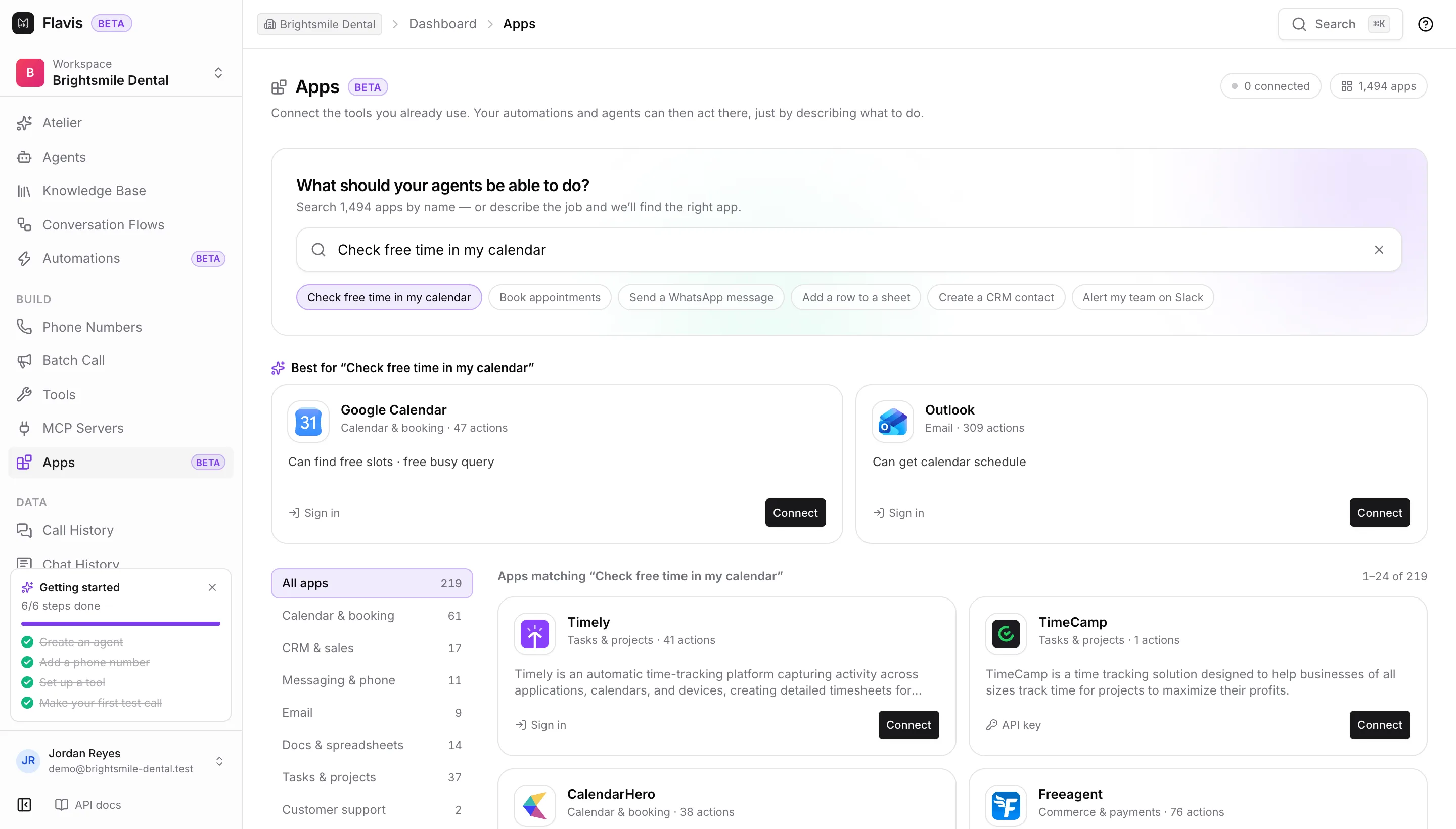
Type what the agent should be able to do, like “check free time in my calendar”, and Flavis suggests the apps that can. Connect one with your own account.

  • Nearly 1,500 apps in 15 categories
  • Google Calendar, Gmail, Sheets, WhatsApp, Slack, HubSpot
  • Each app lists the actions it supports
Read the guide
The Apps page answering Check free time in my calendar with Google Calendar and Outlook

Building blocks

Triggers

Webhook, call ended, schedule, manual, or an agent during a call.

AI steps

Do it in an app, check with AI, write a message.

Calls & lists

Call someone with an agent, add a number to Do Not Call.

Logic

Rule checks and waits, with yes and no branches.

Advanced

Exact app actions and HTTP requests.

Runs

Every run logged, with a test button before you go live.

Automations & apps

Build your first agent today.

Sign up in a minute, describe it to Atelier and test it in your browser. Prefer to build it together? Talk to us.

30 free Atelier messagesBrowser test callsinfo@flavisai.com
Automations — When a call ends, the work continues | Flavis | Flavis AI