Flavis
Atelier

Describe the agent. Atelier builds it.

The workshop inside Flavis. One sentence or your website is enough: Atelier drafts the agent, connects your apps and tests the result, and you approve every change.

  1. 01

    Say what you need

    One sentence is enough. Or paste your website: Atelier reads your services, hours and prices and drafts the agent from them.

  2. 02

    It asks, you answer

    Atelier only asks what it can't find on its own, like when to hand a caller to your team or which calendar to book into.

    A receptionist for Brightsmile Dental that books cleanings in our Google Calendar and texts a confirmation.

    Before I build Mia, two quick questions:

    1. When should Mia hand a caller to your team?
    2. Which calendar should she book into?
    Emergencies go to the front desk. Book into “Brightsmile – Chairs”.
  3. 03

    Review every change

    Prompt, voice, knowledge and tools arrive as cards. Apply them, skip them or undo them later. Nothing changes until you say so.

    Set it up step by stepStep 2 of 3
    Create agent “Mia”Suggested
    • PromptFront-desk receptionist for Brightsmile Dental
    • VoiceSarah · warm, English (US)
    • Knowledge24 services and prices from your website
    • AppGoogle Calendar · check and book free slots
    SkipKeep & next
  4. 04

    Connect apps from the chat

    Google Calendar, Gmail, Sheets, WhatsApp, Slack, HubSpot and 1,400+ more apps connect in one click, right from the chat.

    Connect Google Calendar

    Mia needs to read free times and add bookings.

    • See free/busy times
    • Add and edit events
    Connect Connected
    Also in one click
    +1,490 more
  5. 05

    Test, debug and tune

    Atelier flags calls that went wrong, explains why and proposes the fix. It runs scripted test callers and measures speed and cost on your real calls.

Six skills, one chat

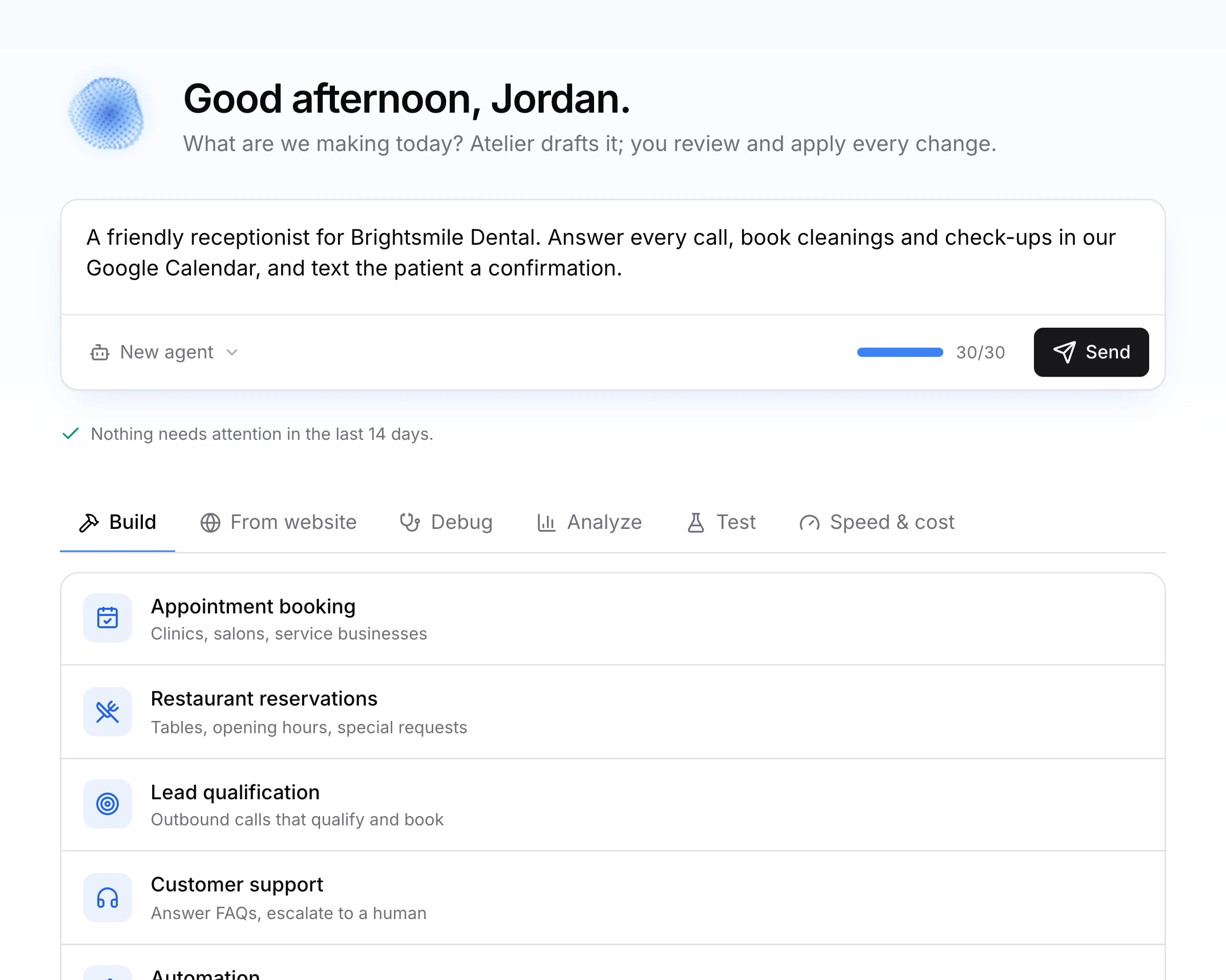
Pick a skill or just type. The same chat builds, fixes and tunes your agents.

  • BuildNew agents, and changes to the ones you have.
  • From websiteTurns your site into an agent with your hours, services and prices.
  • DebugFinds out why a call went wrong and proposes the fix.
  • AnalyzeLists the questions callers asked that your agent couldn't answer.
  • TestRuns scripted callers against your agent and scores each conversation.
  • Speed & costShows time per turn and cost per minute, and how to improve both.
Try AtelierRead the Atelier guide30 free Atelier messages to start. Every change can be undone.
Atelier, start to finish · 0:20
01 · Debug

Find out why a call went wrong

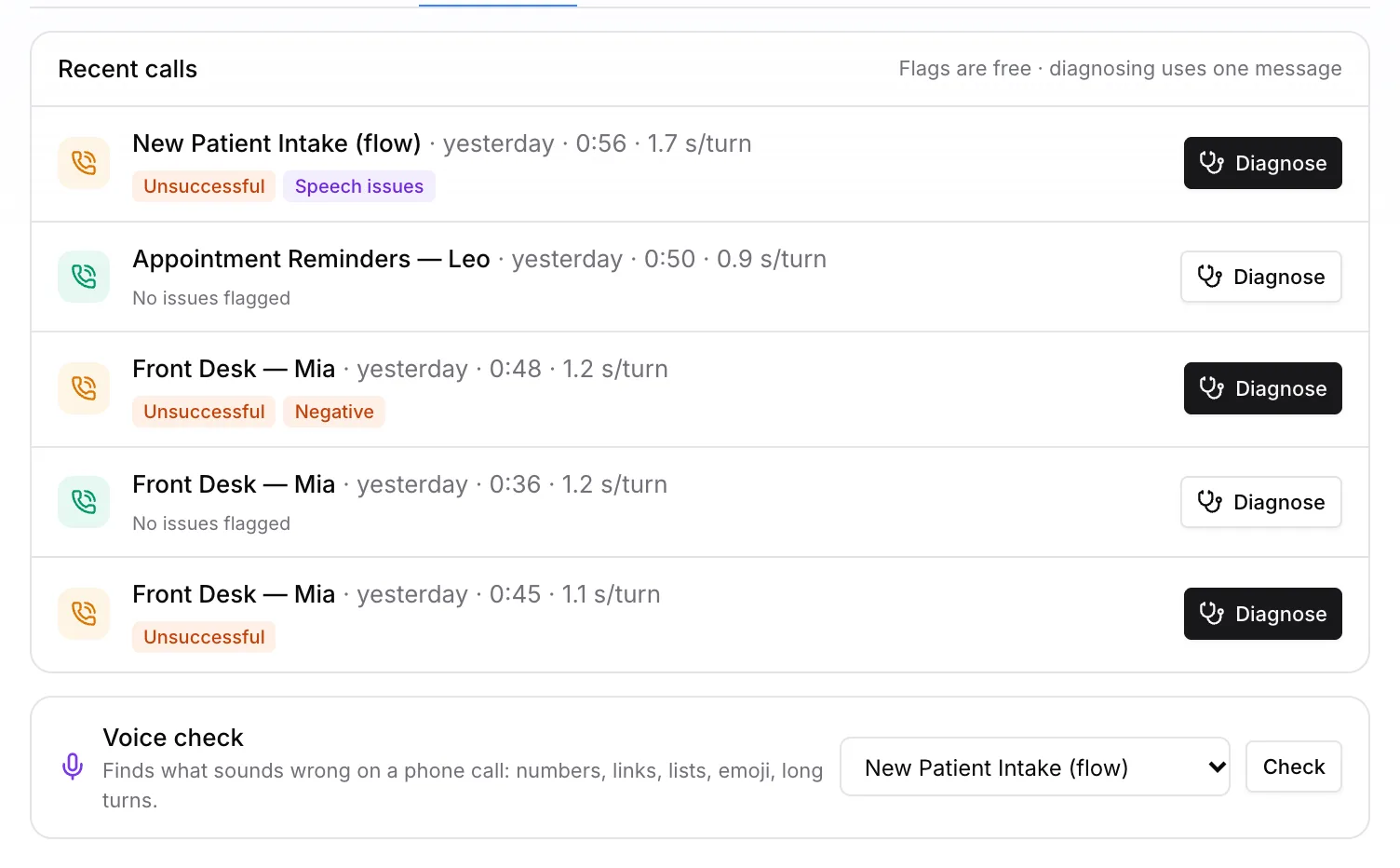
Atelier flags calls that ended badly, failed a function or sounded off. One click opens a diagnosis with the cause and the fix as a change you can apply.

  • Flags are free; a diagnosis uses one message
  • Voice check finds what sounds wrong on the phone
  • Every fix is a reviewable change
Read the guide
The Debug tab listing recent calls with flags such as Unsuccessful and Speech issues, each with a Diagnose button
02 · Test

Tough callers before real ones

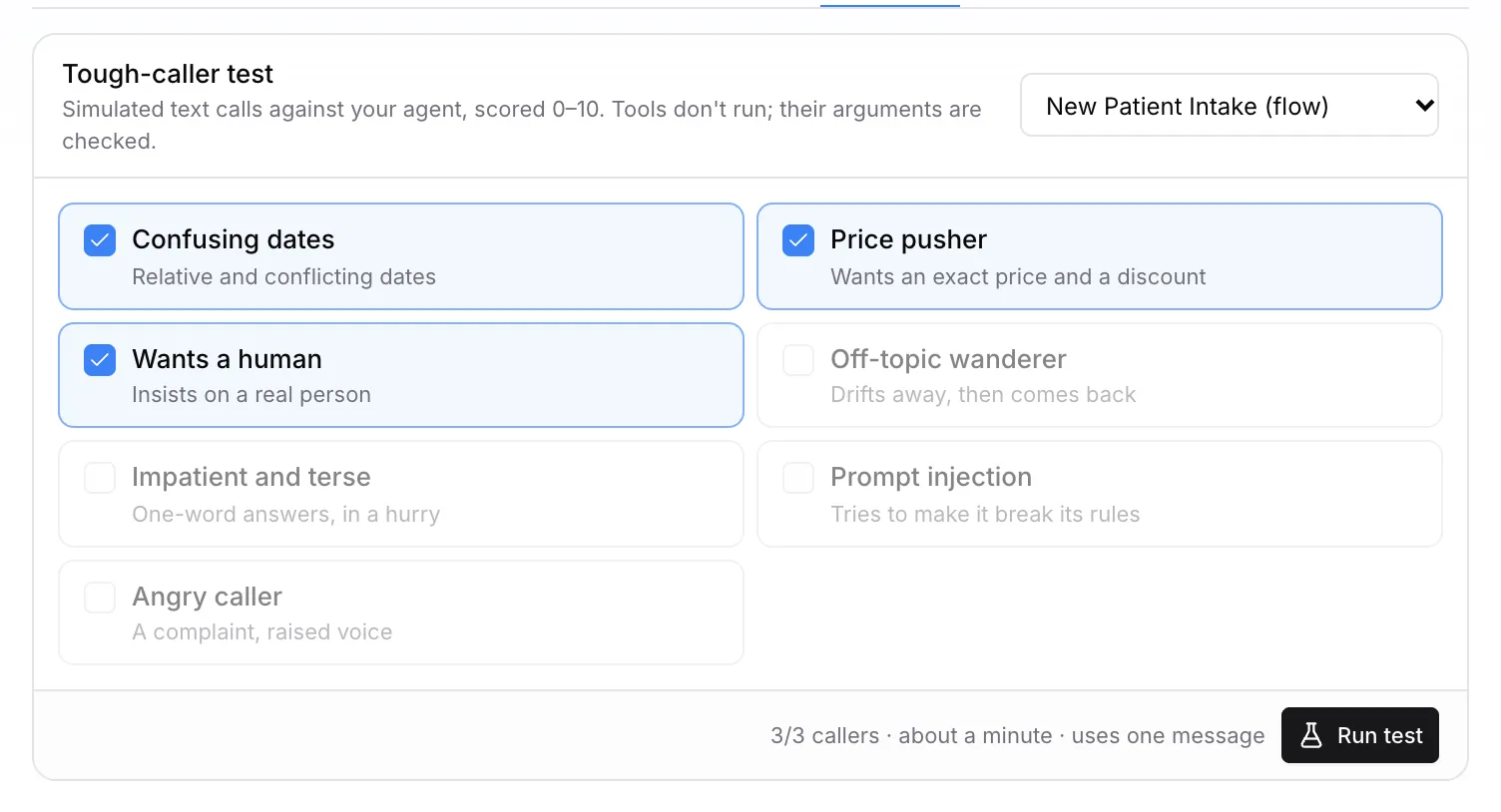
Run scripted callers against your agent: confusing dates, a price pusher, someone who insists on a human. Each conversation is scored from 0 to 10 with what failed.

  • Seven caller types, pick any mix
  • Tools don't run; their arguments are checked
  • About a minute, one message
Read the guide
The Tough-caller test with caller types such as Confusing dates, Price pusher and Wants a human
03 · Speed & cost

Faster and cheaper, with the trade-offs spelled out

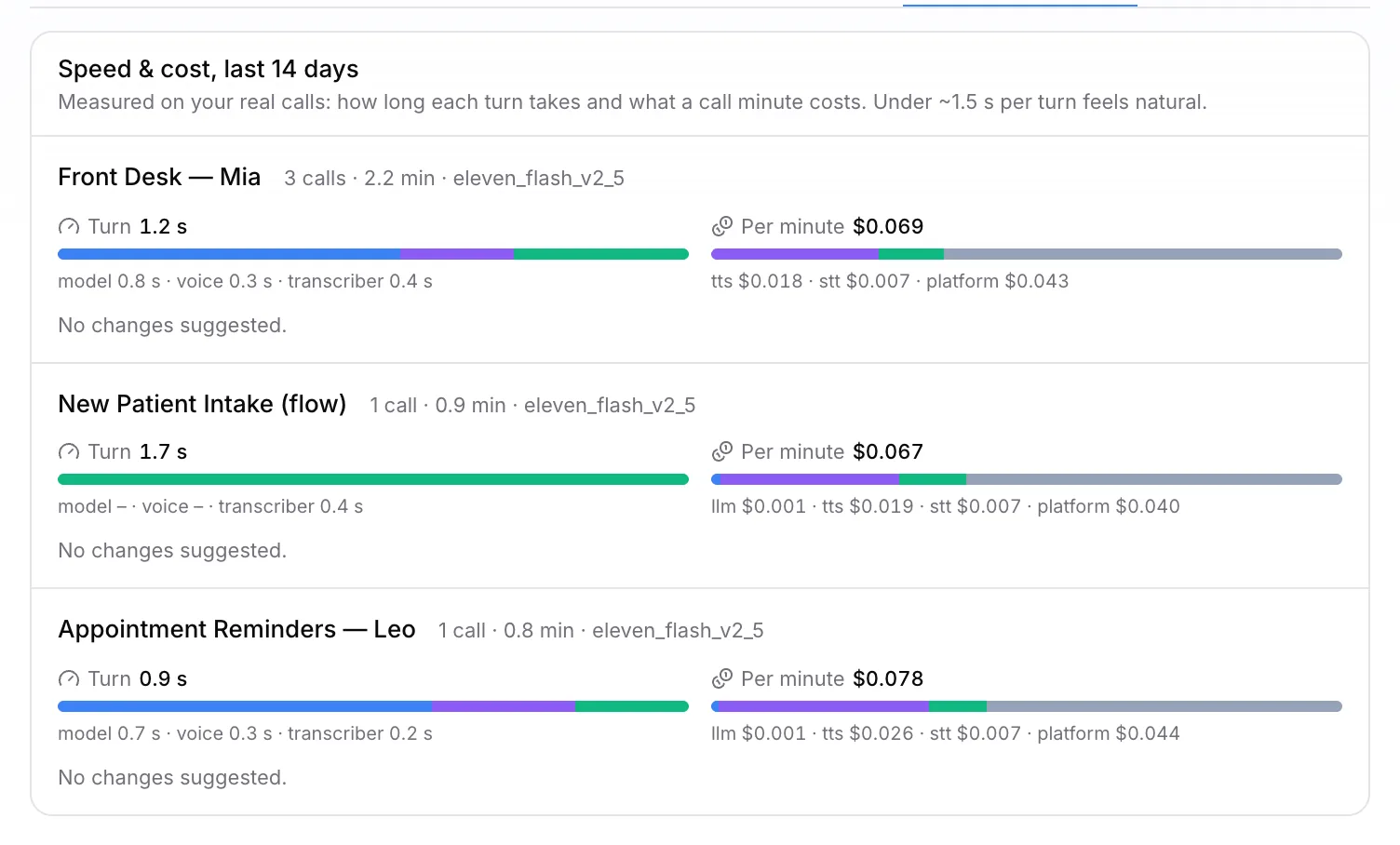
Atelier measures time per turn and cost per minute on your real calls, split into model, voice, speech recognition and platform fee, and suggests what to change.

  • Last 14 days, per agent
  • Under about 1.5 s per turn feels natural
  • Suggestions arrive as changes
Read the guide
The Speed & cost tab with turn time and cost per minute bars for three agents

Built to be trusted

You approve every change

Nothing is applied until you click Apply, or Keep & next in a guided setup.

Undo anything

Agent updates, automations, knowledge and number assignments can be undone.

From your website

Reads your services, hours and prices and drafts the agent from them.

Connects your apps

Google Calendar, Gmail, Sheets and more, from the chat.

Attention cards

Problems from the last 14 days, each with a next step.

30 free messages

Enough to build and test your first agents.

Atelier

Build your first agent today.

Sign up in a minute, describe it to Atelier and test it in your browser. Prefer to build it together? Talk to us.

30 free Atelier messagesBrowser test callsinfo@flavisai.com
Atelier — Build voice agents by describing them | Flavis | Flavis AI