Low-latency turn taking
Knows when to listen, respond or pause.
~600 msaverage response
Describe the job in plain words. Atelier builds the agent, connects your calendar and phone number, and you hear it on a test call before a single customer does.
Sign up in a minute · 30 free Atelier messages · Test calls in your browseror book a demo
50+ language support · Privacy-aware · 24/7 monitoring · Controlled launch
WORKS WITH YOUR EXISTING TECHNOLOGY STACK
We use your CRM, telephony, calendar and automation tools as they are.
 Google CalendarHubSpotCal.comSalesforceElevenLabsTwilioGoogle CalendarHubSpotCal.comSalesforceElevenLabsTwilioGoogle CalendarHubSpotCal.comSalesforce
 WhatsAppShopifyStripeZapiern8nMakeWhatsAppShopifyStripeZapiern8nMakeWhatsAppShopifyStripe
Watch a dental clinic go from an empty workspace to an agent that books real appointments. No cuts, no engineers.
Sign up, describe the agent, test it, go live.
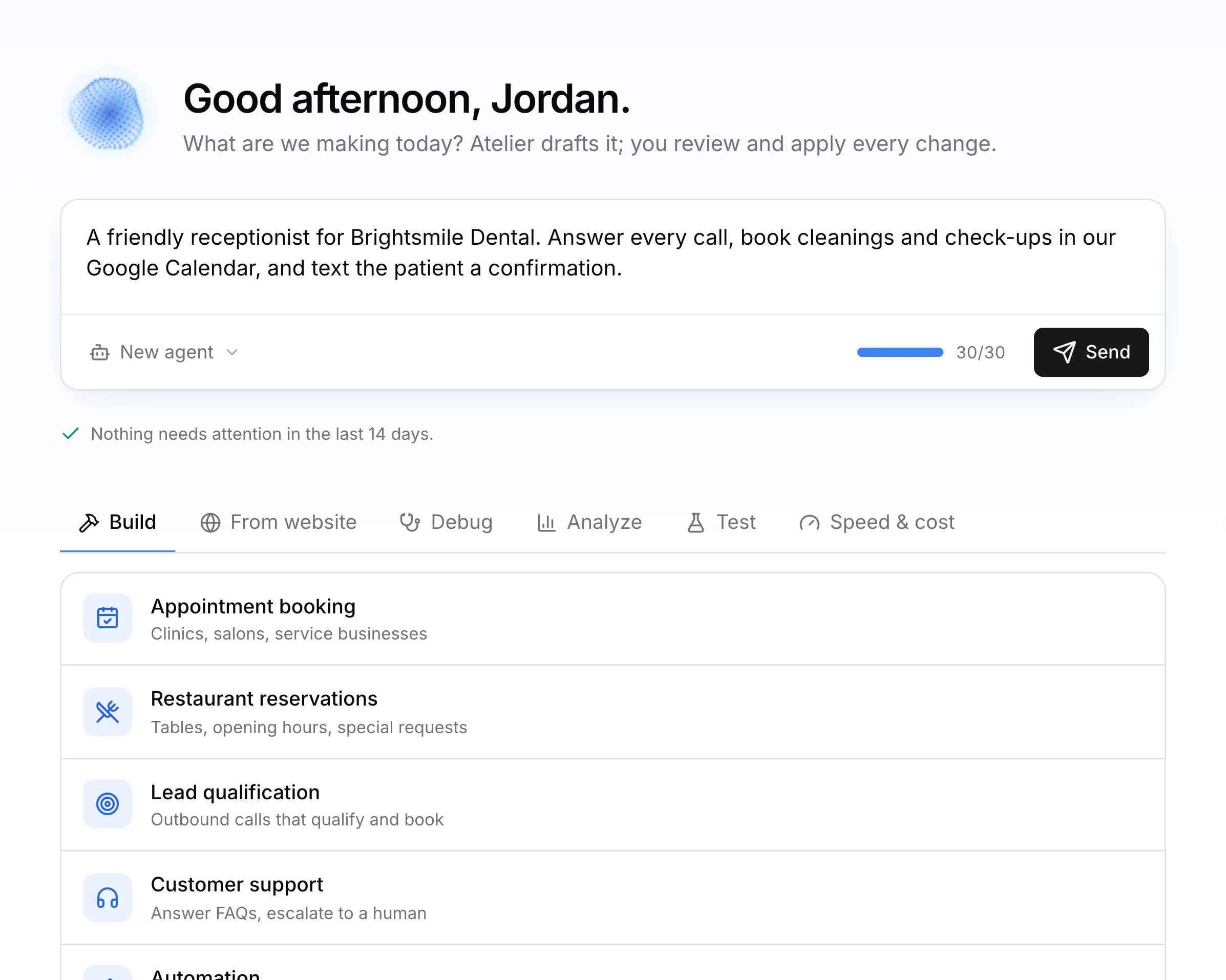
Atelier is the workshop inside Flavis. It writes the prompt, picks the voice, reads your website, wires up your apps and tests the result. You approve every change, and you can undo any of them.
One sentence is enough. Or paste your website: Atelier reads your services, hours and prices and drafts the agent from them.
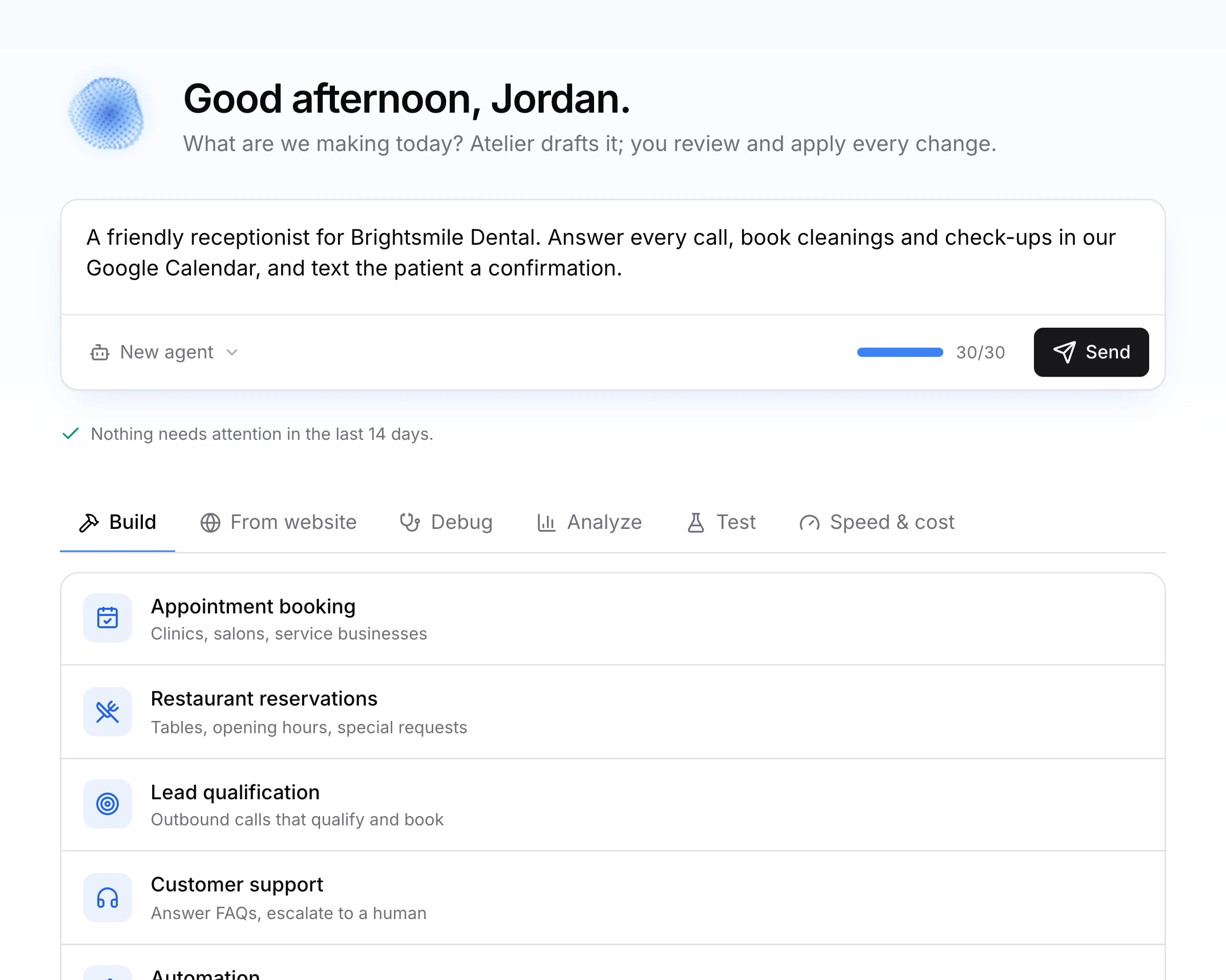
Atelier only asks what it can't find on its own, like when to hand a caller to your team or which calendar to book into.
Before I build Mia, two quick questions:
Prompt, voice, knowledge and tools arrive as cards. Apply them, skip them or undo them later. Nothing changes until you say so.
Google Calendar, Gmail, Sheets, WhatsApp, Slack, HubSpot and 1,400+ more apps connect in one click, right from the chat.
Mia needs to read free times and add bookings.
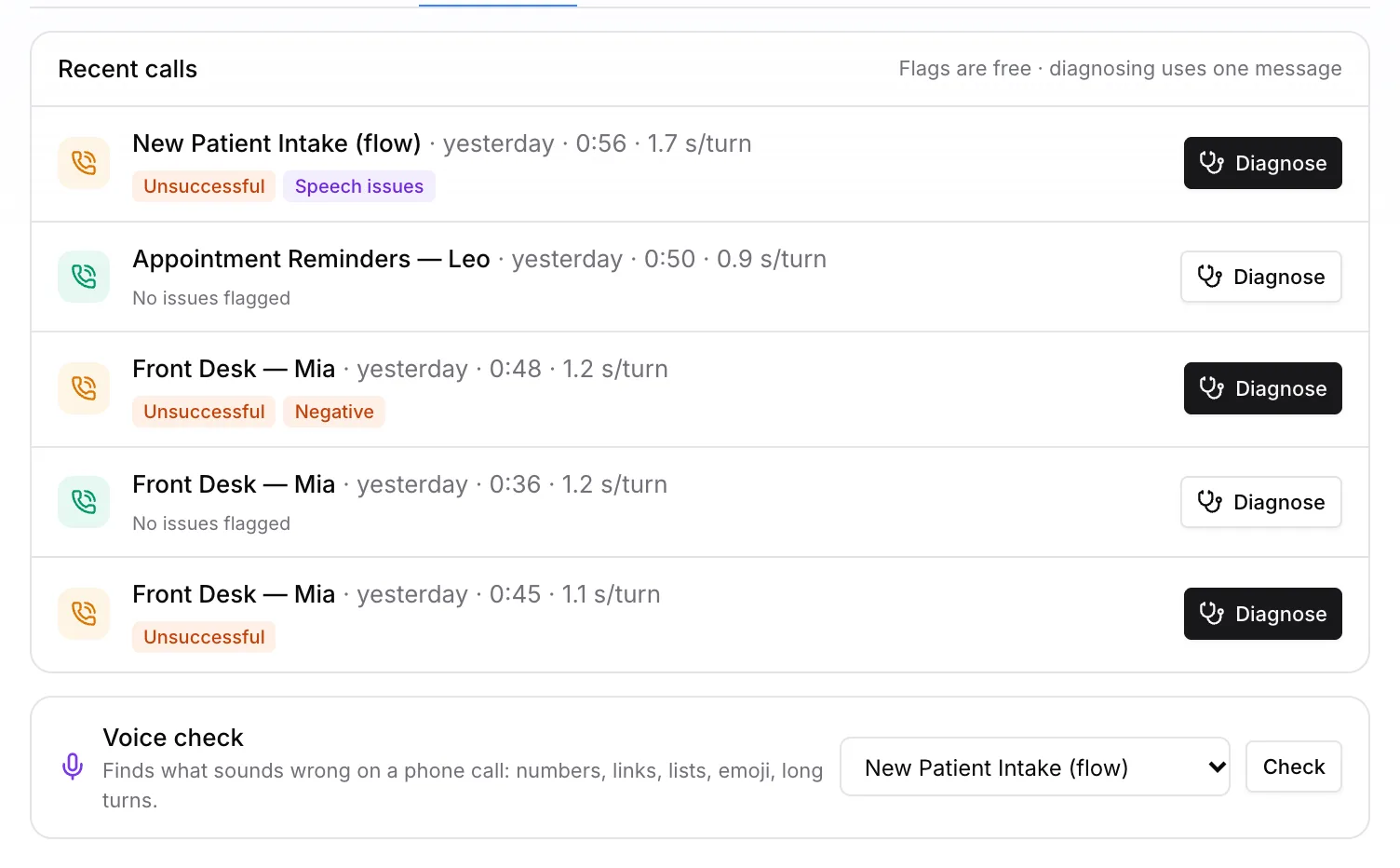
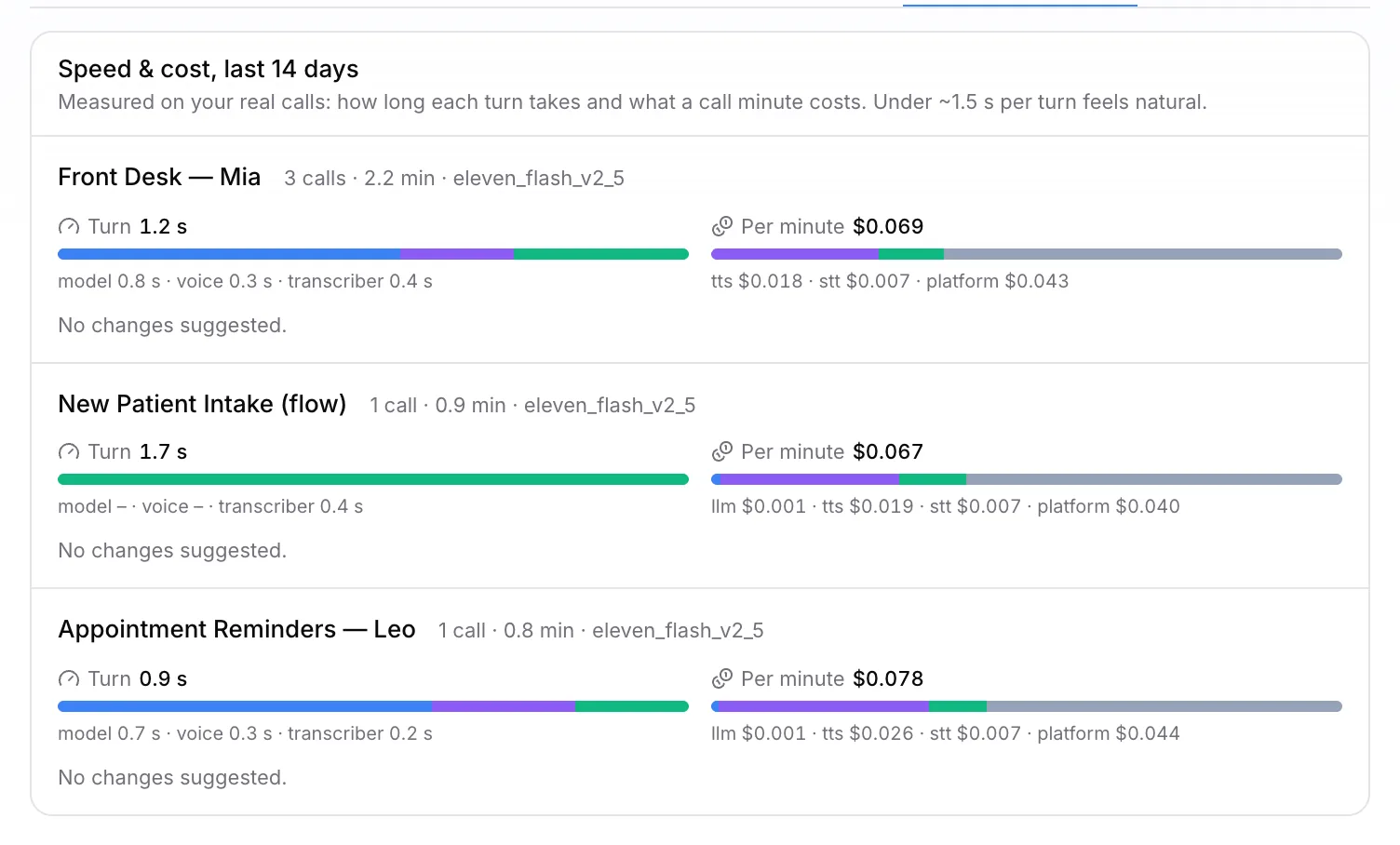
Atelier flags calls that went wrong, explains why and proposes the fix. It runs scripted test callers and measures speed and cost on your real calls.
Natural dialogue is only the beginning. Flavis connects every conversation to your business rules and systems.
Knows when to listen, respond or pause.
Carries verified context across every step — customers never repeat themselves.
Serves customers in 50+ languages — no repeated questions and no fragmented operation.
Transfers at the right moment with a concise, verified brief.
The full call operation, designed as one system.
I'd like to talk to someone about my bill.
Of course. I'm bringing in Sara from billing and telling her what you need.
AI briefs the human agent, answers follow-up questions and confirms readiness before connecting the customer.
Upload an audience, schedule campaigns, control pacing and retries, handle voicemail.
“For billing, press 2.”
“Enter your account number.”
Detects IVRs, understands menu options, presses digits and reaches the right destination.
Caller sounds upset about a charge
Monitor AI calls and take over the conversation instantly when a human touch is required.
Enrich conversations with existing customer data, then write outcomes and follow-ups back.
Every conversation is reviewed against policy and exceptions are reported.
Start a call with one request and get the transcript, analysis and cost back on your server. Or let your AI assistant run Flavis for you.
Scoped keys, idempotent calls, cursor pagination.
End-of-call reports with retries and a log you can replay.
Claude Code, Cursor, Codex and VS Code can build and call through Flavis.
A call button on your site with one script tag.
curl -X POST https://api.flavisai.com/api/v1/calls \-H "Authorization: Bearer $FLAVIS_API_KEY" \-H "Content-Type: application/json" \-d '{"assistantId": "<agent-id>","customer": { "number": "+14155550123" },"variables": { "patient": "Jordan" }}'# → 201 { "id": "…", "status": "queued" }
We learn your tools, policies and customer journey. Then we build a secure, measurable communication system that can take action and hand off to people when needed.
Every stage runs on your rules. There is no launch date — there is a controlled path to production.
Together we map which conversations, decisions and systems are in scope.
Each channel can have its own interface while context, policies and outcomes stay in one operational model.
“Can I move my cleaning to Friday?”
Inbound, outbound and routed calls — low latency and uninterrupted.
Calendars, CRMs, messaging, spreadsheets and payments. Agents and automations act in them during or after a call, with the account you connect.
Yes. Create a free account at app.flavisai.com, build your agent, test it in the browser and connect your number; the documentation walks you through every step. If you prefer an enterprise implementation, we analyze your operation, design the agents and integrations, test them and take them live with your team.
Where the telecom setup allows it, we can work with your number, CRM, calendar, help desk and internal APIs.
Yes. Handoffs can follow intent, risk, customer request or your own policies while preserving full context.
Timing depends on scope and integrations. After discovery, we provide a staged implementation and controlled launch plan.
Retention, masking and deletion policies are defined per project and we design a data flow that meets your privacy requirements.
The Flavis platform runs at app.flavisai.com: agents, numbers, batch calls, call history and analytics in one dashboard. Developers get the API reference and webhooks in the documentation; enterprise implementations run on the same dashboard.
Tell us how your operation works. We’ll map the use case, integrations and a practical path to production.